
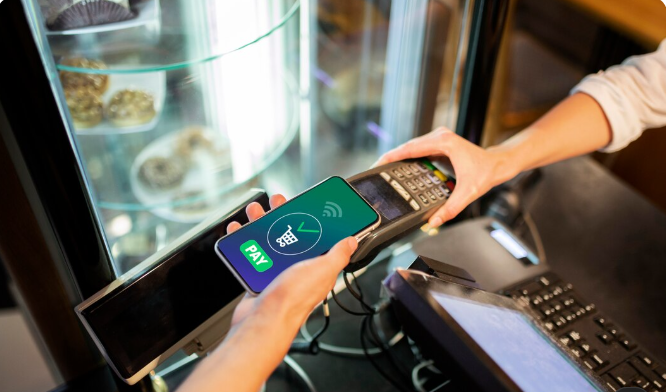
You can top up your SUBE card in four ways: at an authorized kiosk or agency, at an automatic terminal, through the SUBE app using a card or digital wallet, or through online banking and ATMs. The maximum balance is $40,000 per card. Electronic top-ups are not added automatically. You must validate them by tapping your card on a compatible device.
What You Need Before Topping Up
Your physical SUBE card in good condition.
An Android 6 or later phone with NFC if you want to use the app.
Cash for in-person top-ups, or a bank card or digital wallet for online payments.
Your national ID (DNI) and the card's four-digit PIN, if you have registered it.
Tip: Register your card on the official SUBE website. If you lose it, you may be able to recover your balance. Registered cards also qualify for the lowest fare.
Four Ways to Top Up Your SUBE Card
Method | Where | When the Balance Is Added | Best For |
Kiosk or agency | Participating businesses | Immediately | Paying with cash |
Automatic terminal | Stations and network locations | Immediately | Validating online top-ups |
SUBE app | Your NFC-enabled phone | When you tap the card | People who prefer using their phones |
Online banking, ATM, or digital wallet | Online | After validation | People who prefer cashless payments |
How to Top Up SUBE at a Kiosk or Agency
This is the simplest method. Look for the Punto SUBE sign and follow these steps.
Ask the merchant to top up your card and specify the amount.
Hand over the cash and tap your card on the reader.
Wait for confirmation on the device.
Ask for a receipt and keep it until you verify your balance.
Important: Check the amount displayed on the screen before removing your card. Top-ups are non-refundable.
Your balance will be available immediately. No additional steps are required.
How to Top Up Using the SUBE Mobile App
The app lets you top up your card and validate pending payments. It only works on Android devices with NFC.
Step 1: Install the App and Register
Download the official app from Google Play. Enter your DNI, gender, and the card's four-digit PIN. Enable NFC in your phone's settings.
Step 2: Select "Top Up SUBE"
Link a bank card or an account from a digital wallet such as Mercado Pago. Enter the amount you want to add and confirm the payment.
Step 3: Validate the Top-Up
Open the "Validate Top-Ups" section. Place your SUBE card against the back of your phone, where the NFC antenna is located. Wait for the app to confirm the transaction.
Tip: Do not move the card until you see the success message. Removing it too early may interrupt the validation process.
Why Your Online Top-Up Does Not Appear Immediately
SUBE operates without an internet connection when processing fares. This makes fare validation quick, but it also means an online payment does not automatically reach your physical card. First, you make the payment. Then, you validate the top-up.
This difference often causes confusion when someone pays through online banking but still sees a zero balance. If this happens to you, check your card balance using the sube saldo tool before topping up again. This helps you confirm whether the money has already been added or whether the payment still needs validation.
The good news is that electronic top-ups do not expire. If you have not validated a payment yet, it remains pending until you complete the process.
Where to Validate an Electronic Top-Up
You have three options:
SUBE app: Use an Android phone with NFC.
Automatic terminals: Tap your card on the reader to add the pending balance.
Onboard Top-Up (Carga a Bordo): Available on equipped buses in selected locations.
How to Validate a Top-Up at an Automatic Terminal
Go to an automatic terminal.
Place your card on the reader.
Select the option to validate pending top-ups.
Do not remove your card until you see the confirmation.
How to Top Up Through Online Banking, an ATM, or a Digital Wallet
Many banks and digital wallets offer a SUBE top-up option. Select "SUBE Top-Up" or "Transportation" from the menu, enter your card number, and specify the amount.
Each provider sets its own limits and fees, so check the details in your app before confirming the payment.
Important: Double-check your card number. A single incorrect digit could send the top-up to another card.
Limits and Rules You Should Know
Maximum balance: $40,000 per card.
Minimum top-up: This varies by payment method. Check the amount at your chosen top-up location.
Negative balance: The card allows travel with insufficient funds up to the current permitted limit. Check the official website for the latest limit, as it may change with fare adjustments.
Refunds: Top-ups are non-refundable.
Fares and balance limits are updated regularly. If you are unsure about a limit or amount, confirm the latest information at argentina.gob.ar/sube.
Common Mistakes and How to Avoid Them
Topping up online and traveling without validating the payment. Validate your balance before boarding the bus.
Using a phone without NFC. Validate your top-up at an automatic terminal instead.
Moving the card during validation. Keep it still until the confirmation appears.
Throwing away the receipt. Keep it until you have verified your balance.
Adding too much money. Remember the $40,000 maximum balance limit.
Frequently Asked Questions
How long does it take for a SUBE top-up to be credited?
At a kiosk or automatic terminal, the balance is available immediately. For online top-ups, the money is added when you tap your card using the app or an automatic terminal to validate the payment.
What is the maximum balance I can have on my SUBE card?
The maximum balance is $40,000 per card.
Can I top up my SUBE card without leaving home?
Yes. You can pay through the SUBE app, online banking, or a digital wallet. You must then validate the payment using an NFC-enabled Android phone or an automatic terminal.
Does an electronic top-up expire if I do not validate it?
No. The payment remains available until you validate it on your card.
What should I do if I topped up the wrong card?
Top-ups are non-refundable. Contact SUBE through its official support channels and explain what happened.
Final Thoughts
Topping up in person is convenient when you need money on your card immediately, while the app saves you from waiting in line. Choose the method that fits your routine, and always keep your receipt until the updated balance appears.